How Does Sub2Unlock Work?
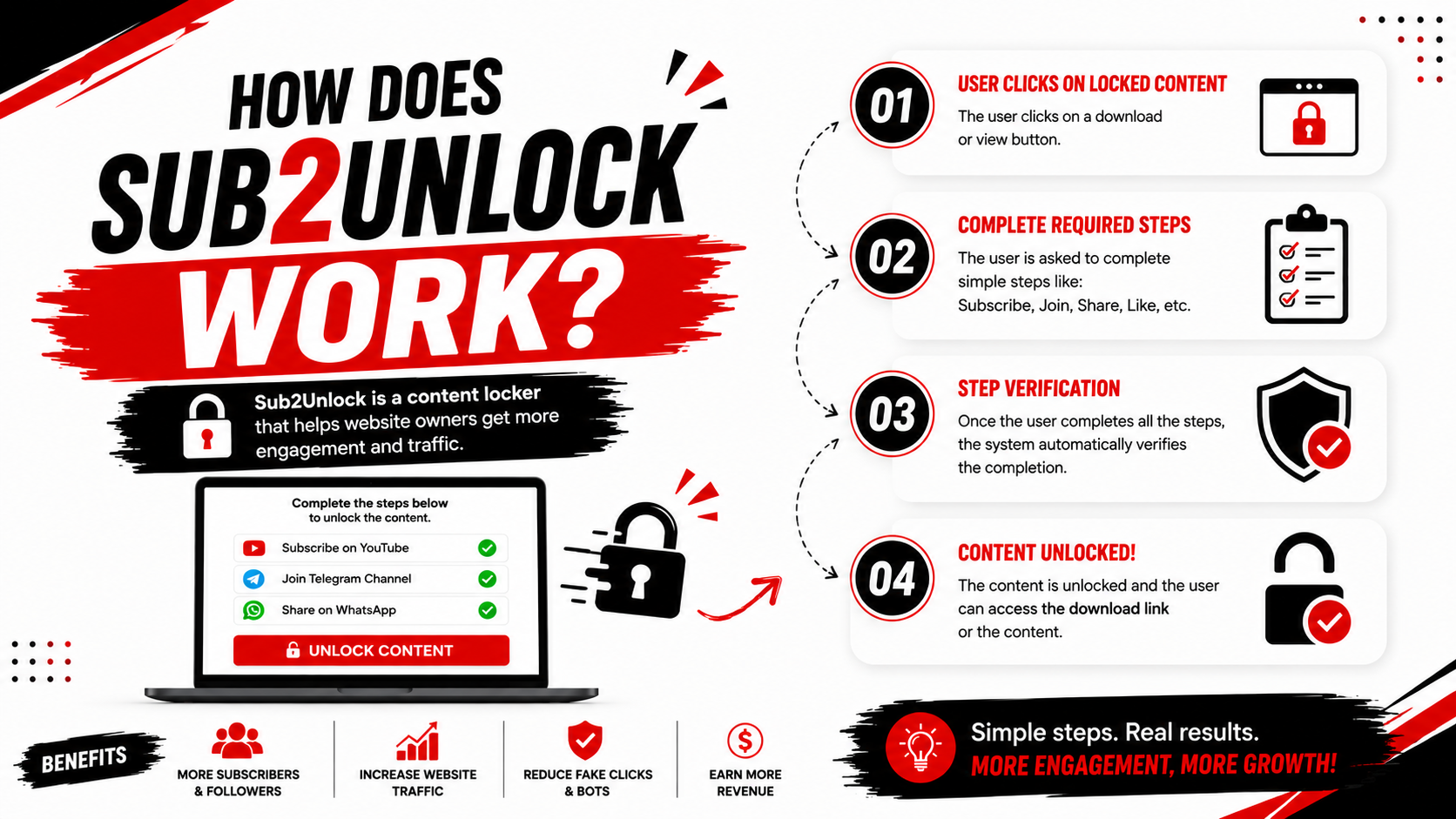
Sub2Unlock works by placing a content locker between your visitors and the content you want to share. Instead of giving users immediate access to a download, website, or digital resource, the system first displays an unlock page where visitors are asked to complete one or more actions. Once the required step is completed, they are redirected to the final destination. This simple workflow helps creators organize their downloads, introduce visitors to their online communities, and manage how digital content is accessed.
How Does Sub2Unlock Work?
The entire process is designed to be simple for both creators and visitors. Whether you're sharing game mods, APK files, templates, software, eBooks, source code, or other digital resources, the workflow remains nearly the same from start to finish.
Step 1: Prepare Your Content
The first step is creating or collecting the digital content you want to share. This could be a downloadable ZIP file, Android APK, PDF guide, Minecraft texture pack, WordPress plugin, Photoshop preset, source code, video editing template, or any other digital product. Before sharing anything, make sure the file is complete, safe, and ready for your audience.
Step 2: Upload or Select Your Destination
Instead of sharing the original download link directly, creators choose the final destination they want visitors to reach after unlocking. This destination may be a cloud storage download, another website, a documentation page, or any supported URL. Keeping the original destination hidden helps organize downloads and prevents visitors from immediately accessing the file without first viewing the unlock page.
Step 3: Create a Protected Link
Once the destination has been configured, a unique Sub2Unlock link is generated. This protected link becomes the one shared across websites, blogs, YouTube descriptions, Discord communities, Telegram channels, and social media platforms. Rather than exposing the original download URL, creators simply distribute this protected link.
Step 4: Visitor Opens the Link
When someone clicks the Sub2Unlock link, they are taken to a dedicated unlock page. Instead of seeing the download immediately, they receive clear instructions explaining what action is required before continuing. The page is usually designed to be simple, mobile-friendly, and easy to understand.
Step 5: Complete the Required Action
The visitor completes the requested action before receiving access. Depending on the creator's setup, this may involve subscribing to a YouTube channel, joining a Discord server, following a social media profile, visiting a webpage, or completing another supported action. The goal is to introduce visitors to the creator's community while keeping the process straightforward.
Step 6: Unlock the Content
After the required step has been completed, the content locker unlocks the protected destination. The visitor is then redirected to the intended download page, website, or resource where they can access the content that was originally shared.
Why Do Creators Use Sub2Unlock?
Sub2Unlock is popular among content creators because it provides a simple way to organize downloads while introducing visitors to their online communities. Rather than sharing direct links across multiple platforms, creators can distribute a single protected link that guides visitors through a consistent experience before reaching the final content.
- Organize digital downloads more efficiently.
- Share one protected link instead of multiple download URLs.
- Promote YouTube channels and creator communities.
- Encourage visitors to discover additional content.
- Provide a cleaner download experience.
- Manage digital resources from one location.
Common Types of Content Shared Through Sub2Unlock
- APK files
- ZIP archives
- Minecraft mods
- Texture packs
- WordPress plugins
- Website themes
- PDF documents
- Software tools
- Photoshop resources
- Lightroom presets
- Programming scripts
- Source code
- Video editing templates
- Game modifications
- Digital products
Benefits of Using Sub2Unlock
One of the biggest advantages of Sub2Unlock is its simplicity. Both creators and visitors can understand the workflow without requiring technical knowledge. Instead of complicated download systems, users simply complete the requested action before reaching the final destination.
- Simple and beginner-friendly.
- Supports many digital file formats.
- Mobile-friendly experience.
- Easy to share across websites and social media.
- Helps organize digital resources.
- Provides a clean download workflow.
- Suitable for creators, developers, educators, and designers.
Best Practices
Creators should always be transparent about what visitors will receive after unlocking the content. Clear titles, accurate descriptions, working download links, and regularly updated files help create a positive experience. Visitors should only download files from trusted creators and scan downloads with antivirus software whenever appropriate.
Frequently Asked Questions
Is Sub2Unlock free?
Many content-locking platforms offer free plans, while premium plans may include additional customization, analytics, or advanced features.
Can I use Sub2Unlock on mobile?
Yes. Most modern content locker pages are designed to work on smartphones, tablets, and desktop browsers.
Can I protect cloud storage links?
Many platforms allow creators to protect links pointing to cloud storage services, depending on the features they provide.
Is Sub2Unlock only for YouTube?
No. Although many creators use it alongside YouTube, Sub2Unlock can also be used for websites, blogs, Discord communities, Telegram channels, educational resources, software downloads, and many other types of digital content.
Conclusion
Sub2Unlock offers a straightforward way to control access to digital content by placing a content locker between visitors and the final destination. Whether you are sharing software, game mods, templates, educational resources, or creative assets, the process remains simple: prepare your content, create a protected link, share it with your audience, allow visitors to complete the required action, and then provide access to the final download. When used responsibly and transparently, Sub2Unlock can help creators organize digital resources while offering visitors a clear and consistent experience.