How to Create a Sub2Unlock Link for Free in 2026: Step-by-Step Guide
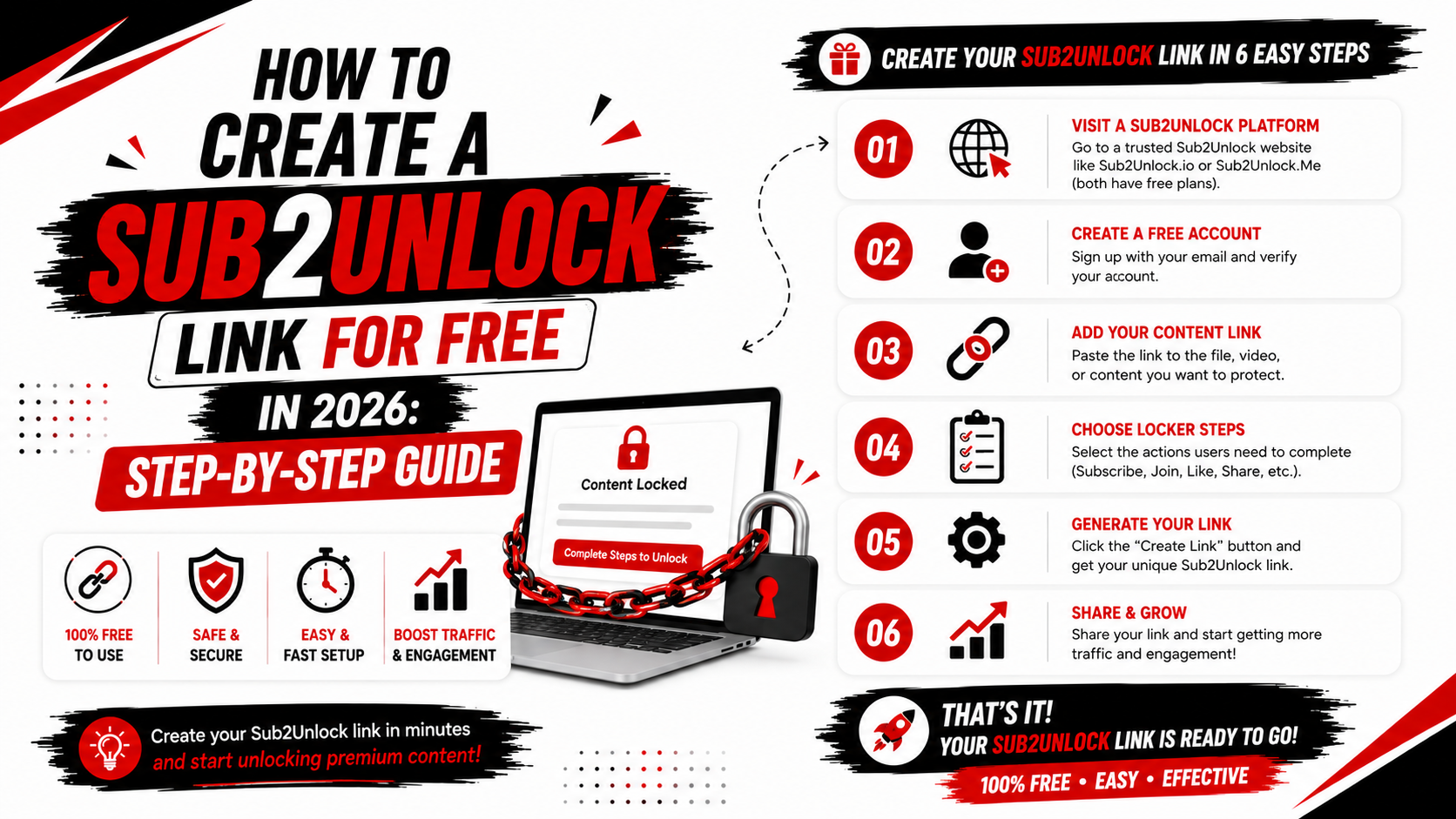
Want to create a Sub2Unlock link for your content? A sub to unlock link allows creators to place a destination URL behind an engagement action and share one simple smart link with their audience.
The process can be completed in just a few steps using Sub2Unlock.pro.
In this guide, you will learn how to create a Sub2Unlock link for free, how sub to unlock links work and how creators can use smart unlock links effectively.
What Is a Sub2Unlock Link?
A Sub2Unlock link is a smart link that displays an unlock page before a visitor reaches the final destination URL.
Instead of sharing your original content link directly, you create a separate unlock link.
For example, imagine you have a resource stored on a website or cloud storage service.
Normally, you would copy the direct URL and share it with your viewers.
With a Sub2Unlock link, you add the destination URL to a Sub2Unlock link generator. The tool creates a new smart link that you can share with your audience.
When visitors open the generated link, they see the available social action before continuing to the destination.
This process is commonly called:
-
Sub2Unlock
-
Sub to unlock
-
Subscribe to unlock
-
Sub unlock
-
Social unlock
-
Content locking
-
Link locking
Although the names are different, the basic concept is similar.
How to Create a Sub2Unlock Link for Free
Creating a Sub2Unlock link does not require advanced technical knowledge.
Follow the steps below.
Step 1: Open Sub2Unlock.pro
First, visit Sub2Unlock.pro using your web browser.
The website provides a smart link generator designed for content creators.
You can use the platform from a desktop computer, laptop, tablet or smartphone.
Using an updated browser can provide the best experience when creating and managing links.
Step 2: Add Your Destination URL
Copy the URL of the content you want to share.
This is known as the destination URL.
Paste your destination link into the available URL field on Sub2Unlock.pro.
Always check the URL before continuing.
A missing character or incorrect destination can send visitors to the wrong page.
Creators should only add links to legitimate content they own, created themselves or have permission to distribute.
Step 3: Select a Social Platform
Choose an available social platform or engagement option.
Depending on the currently supported features, available platform options may include popular creator and community platforms.
Choose an option that matches where you are actively building your audience.
For example, a YouTube creator may prefer a YouTube-related option, while a community owner may use an available community platform.
Avoid selecting unrelated actions simply to add more steps for visitors.
A simple unlock experience is generally easier for an audience to understand.
Step 4: Enter the Required Information
After selecting your platform, enter the requested information.
The exact information required may depend on the platform or action you selected.
Carefully review the details before generating your smart link.
Incorrect information may affect the unlock page experience.
Step 5: Generate Your Sub2Unlock Link
Once your destination URL and selected options are ready, generate your link.
Sub2Unlock.pro will create a new smart unlock link.
This generated URL is the link you should share with your audience.
You do not need to publicly share the original destination URL if you want visitors to use the unlock page.
Step 6: Copy and Test the Link
Before adding your Sub2Unlock link to a video description or social media page, test it.
Copy the generated link and open it in your browser.
Check that the unlock page loads correctly.
You should also confirm that the final destination URL is correct.
Testing your links can prevent visitors from encountering broken or incorrect destinations.
Step 7: Share Your Sub2Unlock Link
Your smart link is now ready to share.
Creators may share their generated links in places where links are permitted, such as their own website, creator profile or video description.
Always follow the rules of the platform where you are sharing your link.
Avoid repeatedly posting links in unrelated comments, communities or websites.
Relevant link placement provides a better experience for users.
How Does a Sub2Unlock Link Work?
The basic Sub2Unlock process involves three parts.
The first part is the creator.
The creator selects the destination URL and creates the smart unlock link.
The second part is the unlock page.
When a visitor opens the generated link, the Sub2Unlock service displays the configured page or available action.
The third part is the destination.
After completing the available process, the visitor can continue to the URL selected by the creator.
The Sub2Unlock service therefore acts as an intermediate layer between the shared smart link and the final destination.
Why Use Sub2Unlock.pro?
Sub2Unlock.pro is designed to provide a simple smart link generation experience for creators.
Instead of developing and hosting a custom content locker, creators can use an online Sub2Unlock tool.
Some of the main benefits include a straightforward link creation process, support for multiple creator platforms, mobile-friendly pages and smart link management features.
The platform can be useful for YouTubers, website owners, community administrators and other digital creators.
How to Make a YouTube Sub to Unlock Link
YouTube creators frequently share additional resources with viewers.
To create a sub to unlock link for creator resources, first copy the destination URL of your authorized content.
Open Sub2Unlock.pro and add the destination link.
Select an available YouTube-related option when supported and enter the required information.
Generate the smart link.
Test the generated URL and then place it in an appropriate location where sharing external links is allowed.
Creators should clearly explain what visitors will receive after opening the link.
Avoid misleading titles or promises.
Where Can You Use a Sub2Unlock Link?
Sub2Unlock links can be useful for several types of creator-owned digital resources.
Examples include original templates, educational documents, project resources, creator presets, community resources and other authorized digital content.
The important rule is simple: only share content you have the legal right to distribute.
Sub2Unlock should not be used to distribute copyrighted content without authorization.
Tips for Creating Better Sub2Unlock Links
A good unlock link starts with a clear destination.
Visitors should understand what content they are trying to access.
Use a relevant title when creating or sharing your link.
Test every generated link before publishing it.
Keep the unlock process simple and relevant to your audience.
You should also regularly check older links to make sure the final destination is still available.
If you delete or move the original content, the destination may stop working.
Common Sub2Unlock Link Mistakes
One common mistake is entering an incorrect destination URL.
Always copy the complete link and test it.
Another mistake is sharing an unlock link without explaining the destination.
Visitors may avoid opening an unfamiliar link when they do not understand its purpose.
Creators should provide a short and accurate explanation.
Excessive link posting is another problem.
Do not spam your Sub2Unlock URL in unrelated comments or communities.
Share your link with an audience that is genuinely interested in the content.
Finally, never use misleading descriptions to encourage clicks.
Transparency creates a better experience for visitors.
Is It Free to Create a Sub2Unlock Link?
Sub2Unlock.pro provides a free smart link generation service for creators.
You can open the website and use the available link creation features to generate a Sub2Unlock link.
Available functionality may be updated as the platform develops.
Do Sub2Unlock Links Work on Mobile?
Sub2Unlock.pro is designed with mobile users in mind.
This is important because many viewers open creator links directly from social media and video applications on smartphones.
Creators should still test their generated link on their own device before sharing it publicly.
Frequently Asked Questions
How do I create a Sub2Unlock link?
Open Sub2Unlock.pro, add your destination URL, select an available platform or action, enter the required information and generate your smart unlock link.
Is Sub2Unlock free?
Sub2Unlock.pro provides free Sub2Unlock link generation features.
What is a sub to unlock link?
A sub to unlock link is a smart link that places an unlock page before a selected destination URL.
Can I make a Sub2Unlock link on my phone?
Yes. You can access Sub2Unlock.pro using a mobile web browser and use the available link generation features.
Do I need coding knowledge?
No. An online Sub2Unlock link generator is designed to create smart links without requiring users to build their own content-locking system.
Can YouTubers use Sub2Unlock?
Creators can use smart unlock links for legitimate content and resources while following applicable platform rules and content policies.
What content can I share?
You should share content you own, created or have permission to distribute.
Final Thoughts
Creating a Sub2Unlock link is a simple process when using an online smart link generator.
Add your destination URL, choose an available platform option, generate the smart link and test it before sharing.
Sub2Unlock.pro provides a free Sub2Unlock link generator designed for creators who want a simple way to create and manage smart unlock links.
Visit Sub2Unlock.pro to create your free Sub2Unlock link and start sharing your creator resources.