Sub2Unlock for YouTube: How to Create a Subscribe to Unlock Link in 2026
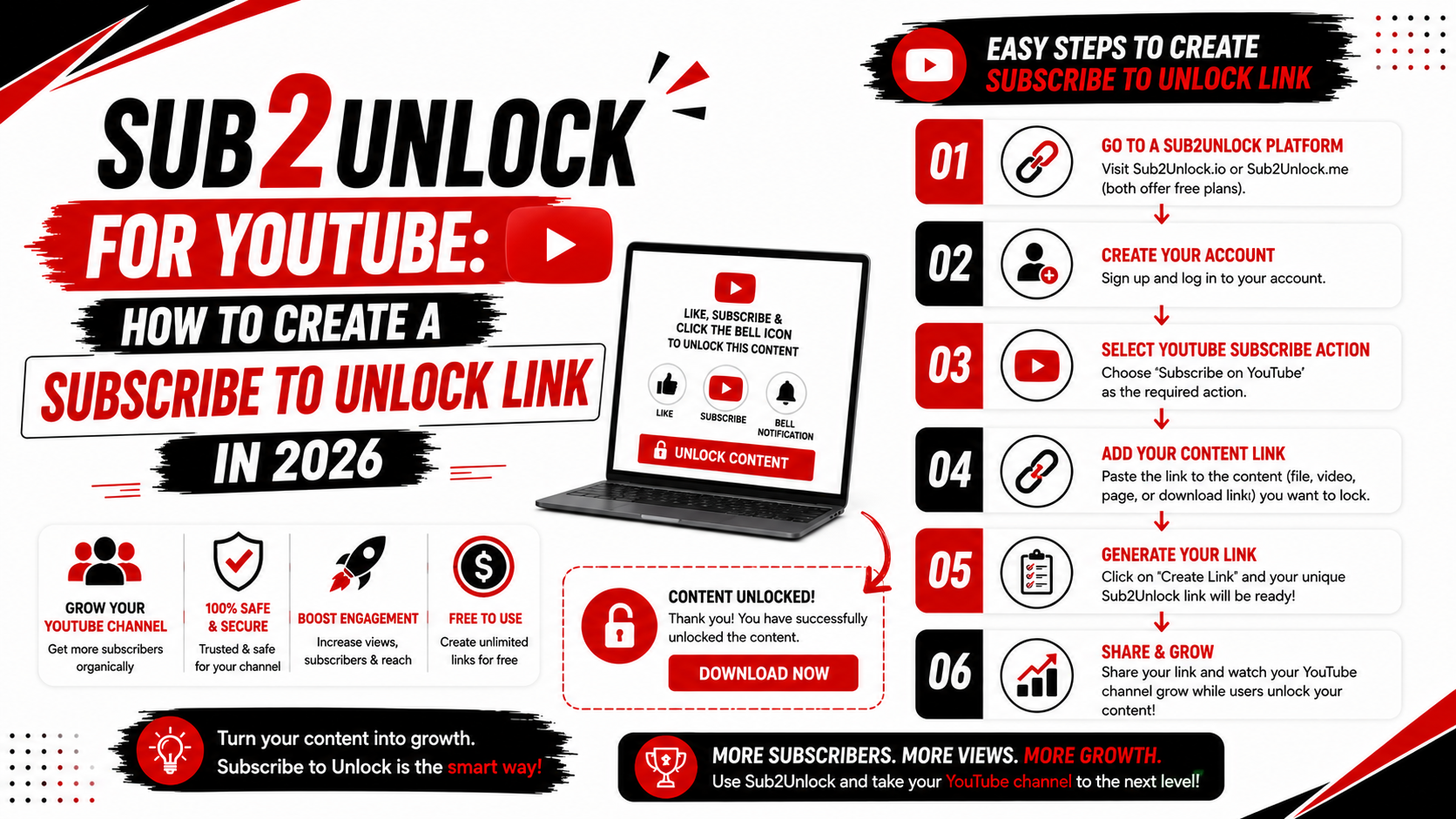
YouTube creators often share additional resources with their viewers, including original templates, project files, creator assets, guides and community resources.
Instead of sharing a destination URL directly, some creators use a Sub2Unlock link.
Sub2Unlock for YouTube allows creators to generate a smart unlock link that displays an intermediate page before visitors continue to the selected destination.
In this guide, you will learn what YouTube Sub2Unlock is, how a subscribe to unlock link works and how to create a free Sub2Unlock link using Sub2Unlock.pro.
What Is Sub2Unlock for YouTube?
Sub2Unlock for YouTube is a smart link system designed around creator engagement.
A creator adds a destination URL to a Sub2Unlock link generator and configures an available YouTube-related option.
The tool then generates a new smart link.
Instead of publishing the original destination URL, the creator shares the generated Sub2Unlock link.
When a visitor opens the URL, an intermediate unlock page appears before the destination content.
This process is commonly searched using terms such as:
-
YouTube Sub2Unlock
-
Sub to unlock YouTube
-
Subscribe to unlock
-
YouTube subscribe to unlock
-
YouTube link locker
-
Sub unlock link
-
Social unlock link
These terms generally describe similar smart link and content access systems.
How Does a YouTube Subscribe to Unlock Link Work?
A YouTube subscribe to unlock link usually involves three main stages.
First, the creator selects a destination.
This destination may contain an original digital resource or other content the creator is authorized to distribute.
Second, the creator generates a smart unlock link.
The original destination URL is added to a Sub2Unlock platform such as Sub2Unlock.pro.
Third, the creator shares the generated link.
When viewers open the smart link, they see the configured intermediate page before continuing to the selected destination.
This allows creators to use one smart URL when sharing resources with their audience.
How to Create a Sub2Unlock Link for YouTube
Creating a YouTube Sub2Unlock link is a simple process.
Follow the steps below to generate your smart link.
Step 1: Prepare Your Destination Link
Before creating an unlock link, prepare the resource you want to share.
Copy the complete destination URL.
Check that the page or file can be accessed correctly.
Creators should only share original resources or content they have permission to distribute.
Do not use Sub2Unlock links to distribute copyrighted files without authorization.
Step 2: Open Sub2Unlock.pro
Open Sub2Unlock.pro in your web browser.
The website provides a free smart link generator designed for digital creators.
You can access the platform using a desktop or mobile browser.
Step 3: Add Your Destination URL
Paste your destination URL into the available link field.
Carefully review the address.
An incorrect destination URL can result in visitors reaching the wrong page or encountering an error.
Testing the original destination before generating the smart link is recommended.
Step 4: Select an Available YouTube Option
Choose an available YouTube-related option when creating your smart link.
Enter the requested channel or platform information.
The exact options available may change as Sub2Unlock.pro is updated.
Use accurate information when configuring your link.
Step 5: Generate Your YouTube Sub2Unlock Link
After entering the required information, generate your smart link.
Sub2Unlock.pro will create a new unlock URL.
Copy the generated link.
This is the URL you can use when sharing your authorized creator resource.
Step 6: Test the Subscribe to Unlock Link
Testing is an important step.
Open the generated link in your browser.
Check the intermediate page.
Make sure the page displays correctly and confirm that the destination URL works.
Creators may also test the link using a smartphone because many YouTube viewers open external links on mobile devices.
Step 7: Share the Link With Your Audience
Once you have tested your smart link, you can share it in appropriate locations where external links are allowed.
Clearly explain what the destination contains.
For example, if you are sharing an original video editing preset, tell viewers that the link provides access to your preset.
Accurate descriptions help visitors understand why they are opening the link.
Why Do YouTube Creators Use Sub2Unlock?
Creating useful digital resources can require significant time and effort.
A creator may design a template, build a project resource or prepare an educational document for viewers.
When the direct destination URL is shared, visitors may access the resource without exploring the creator's other channels or community pages.
A smart unlock link creates an intermediate interaction point.
Creators can use one generated URL when sharing their resources.
Sub2Unlock tools may also provide link management and analytics features that help creators organize multiple smart links.
What Can You Share With YouTube Sub2Unlock?
YouTube creators produce many types of original digital resources.
A Sub2Unlock link may be used for legitimate creator-owned materials such as original templates, editing presets, educational PDFs, project resources, design assets, creator guides and community files.
Developers may share software or project resources they created.
Designers may share original templates.
Educators may provide their own study material.
Video creators may distribute their own presets or project files.
The creator is responsible for ensuring they have permission to distribute the destination content.
Sub2Unlock vs Direct Download Links
A direct link sends a visitor straight to the selected destination.
For example, a creator may publish a direct cloud storage URL.
When viewers click the link, they immediately open the destination.
A Sub2Unlock link adds an intermediate page.
The creator shares the smart link instead of the original destination URL.
Visitors open the smart link and see the configured unlock experience before continuing.
The best option depends on the creator's goal.
If immediate access is the priority, a direct destination link may be appropriate.
If the creator wants to use a smart unlock page and link management system, Sub2Unlock may be considered.
Sub2Unlock vs URL Shorteners for YouTube
URL shorteners are designed primarily to make long links shorter.
A shortened URL redirects visitors to another page.
Some shortener services may also provide click analytics.
Sub2Unlock tools focus on an unlock experience.
Instead of immediately redirecting a visitor, the service displays an intermediate page before the selected destination.
Creators should understand this difference when selecting a link tool.
A short URL and a subscribe to unlock link do not necessarily provide the same functionality.
Benefits of Using Sub2Unlock.pro for YouTube
Sub2Unlock.pro provides smart link generation features for creators.
One benefit is the simple link creation process.
Creators do not need to develop their own content locker or install a website plugin.
The platform is accessible through a web browser.
It is also designed for mobile users, which is useful for YouTube audiences that frequently open links on smartphones.
Support for multiple creator and community platforms can help users manage smart links for different audiences.
Tips for Better YouTube Sub2Unlock Links
Always test your generated URL before publishing it.
Clearly describe the resource visitors will access.
Keep your destination content available.
If you delete or move the original file, visitors may no longer be able to access the resource.
Avoid misleading descriptions.
Do not advertise one resource and send visitors to an unrelated destination.
You should also avoid posting the same link repeatedly in unrelated comment sections or communities.
Relevant and transparent link sharing creates a better user experience.
Common YouTube Sub2Unlock Mistakes
Sharing a Broken Destination
A generated unlock link cannot fix an unavailable destination.
Test the original URL before creating your smart link.
Using Misleading Link Descriptions
Visitors should know what they are opening.
Use clear descriptions for your creator resources.
Sharing Unauthorized Content
Only distribute content you own or have permission to share.
Not Testing on Mobile
Many YouTube users browse from smartphones.
Open your generated link on a mobile device before publishing it.
Spamming Links
Avoid repeatedly posting Sub2Unlock links in unrelated videos, comments or communities.
Use links where they are relevant to the audience.
Is YouTube Sub2Unlock Free?
Sub2Unlock.pro provides free Sub2Unlock link generation features.
Creators can use the available smart link tools to generate an unlock URL.
Available options and features may change as the platform develops.
Does Sub2Unlock Work on Mobile?
Sub2Unlock.pro can be accessed using a mobile web browser.
Creators can generate and test smart links from compatible smartphones.
Visitors may also open generated links through their browser.
Because device and browser configurations vary, creators should test their link before sharing it with a large audience.
YouTube Sub2Unlock Frequently Asked Questions
What is YouTube Sub2Unlock?
YouTube Sub2Unlock refers to using a smart unlock link for creator resources associated with a YouTube audience.
How do I create a subscribe to unlock link?
Add your authorized destination URL to a Sub2Unlock link generator, select an available option, enter the required information and generate your smart link.
Is Sub2Unlock.pro free?
Sub2Unlock.pro provides free smart link generation features.
Can I make a Sub2Unlock link on Android?
You can access Sub2Unlock.pro through a compatible mobile web browser and use the available link creation features.
Can I use Sub2Unlock for my YouTube channel?
Creators can use external smart link tools for legitimate resources while following applicable platform rules and policies.
Is Sub2Unlock a URL shortener?
Sub2Unlock and traditional URL shorteners serve different purposes. A Sub2Unlock tool provides an intermediate unlock experience before the destination.
What should I share with a Sub2Unlock link?
Share original resources or content you have permission to distribute.
Final Thoughts
Sub2Unlock for YouTube provides creators with a way to generate smart unlock links for authorized digital resources.
The process is simple.
Prepare your destination URL, open Sub2Unlock.pro, configure an available YouTube option and generate your smart link.
Always test the link before sharing it and clearly explain the destination content to your viewers.
If you are looking for a free YouTube Sub2Unlock link generator, visit Sub2Unlock.pro and create your smart unlock link.